-
20 copy-paste AI prompts for coloring books — tested across
Midjourney, DALL-E 3, Leonardo.ai, and Adobe Firefly.
-
Every prompt is broken into what it does, why it works, and how
to modify it for different ages and themes.
-
This is not a list of random prompts from the internet. Every
prompt here has been tested against the cognitive design principles I covered
in the N4GM Specialist’s Guide to AI Coloring Books — with real children, in
real classroom settings.
Here is a confession. In 2023 I spent three weeks trying to get
usable coloring pages from Midjourney using prompts I found on various ‘top 100
AI prompts’ lists.
About 70% of what I generated had gray shading. Another 20% had
lines so thin they would disappear completely when printed. The remaining 10%
was actually usable — but only after manual cleanup in editing software.
That experience sent me down a research rabbit hole that
eventually became N4GM’s entire approach to AI educational materials. The
problem was never the tools. The problem was that nobody had designed prompts
specifically for children’s coloring books with developmental safety in mind.
Before we get into the prompts, a quick framing note. Most articles about AI coloring book prompts treat this as a creative challenge — how do you get the most beautiful, most complex, most detailed line art from the AI?
That framing is fine for adult coloring books. For children’s coloring books, it is exactly backwards. The challenge is not maximising complexity. The challenge is achieving clean, developmentally-appropriate simplicity from tools that naturally trend toward visual complexity.
This is why prompt engineering for children’s coloring books is a specialist skill — and why most of the ‘top coloring book prompts’ articles you will find online produce pages that frustrate young children rather than engage them.
🔑 Section 1: The Anatomy of a Perfect Coloring Book Prompt
What Makes a Coloring Book Prompt Different from Any Other AI Prompt?
Most people type ‘coloring page of a cat for kids’ and hit generate. Then they wonder why the output has shading, gray fills, and lines so thin they disappear when printed on standard 80gsm paper.
The answer is that a general text-to-image AI has been trained on millions of images — and most of those images are not coloring pages. They are photographs, illustrations, paintings, and artwork with full color, shading, and visual depth. When you ask for a ‘coloring page,’ the AI draws on its training data and produces something that looks like a coloring page to an adult eye — which may look nothing like what a child’s motor system can actually work with.
A properly engineered coloring book prompt does not ask the AI to make a coloring page. It specifies the exact technical and visual parameters that define what a child-safe coloring page actually is. There is a significant difference.
The 5 Components Every Strong Coloring Prompt Must Have
| Component |
What It Does |
Example |
| Format declaration |
Tells AI the output category |
‘Vector line art’, ‘coloring book page’ |
| Line specification |
Sets minimum stroke weight |
‘Thick bold black outlines’, ‘minimum 3pt’ |
| Complexity constraint |
Controls number of elements |
‘Nursery level’, ‘single large shape’ |
| Noise elimination |
Removes gray/shading |
‘No shading’, ‘no gradients’, ‘no gray fills’ |
| Technical parameters |
Aspect ratio and style |
‘–ar 8.5:11’, ‘–style raw’ |
Remove any one of these five components and your output quality drops significantly. Most failed coloring page prompts are missing the noise elimination component — they ask for what they want but never tell the AI what to exclude.
Think of it this way: you are not painting a picture. You are writing a specification document. The AI executes the specification. Your job is to write a specification with no gaps — because the AI will fill every gap with its own assumptions, and those assumptions are almost never right for a children’s coloring page.
Section 2: The Core Prompts — Clean Lines for Every Age Group
These 5 Prompts Are Your Foundation — Learn These First
Start here. These five prompts cover the most common use cases and produce consistently clean results across all major AI tools. Once you understand why each one works, modifying them for specific themes becomes straightforward.
Prompt 1: The N4GM Nursery Standard
[Midjourney v7 / DALL-E 3]
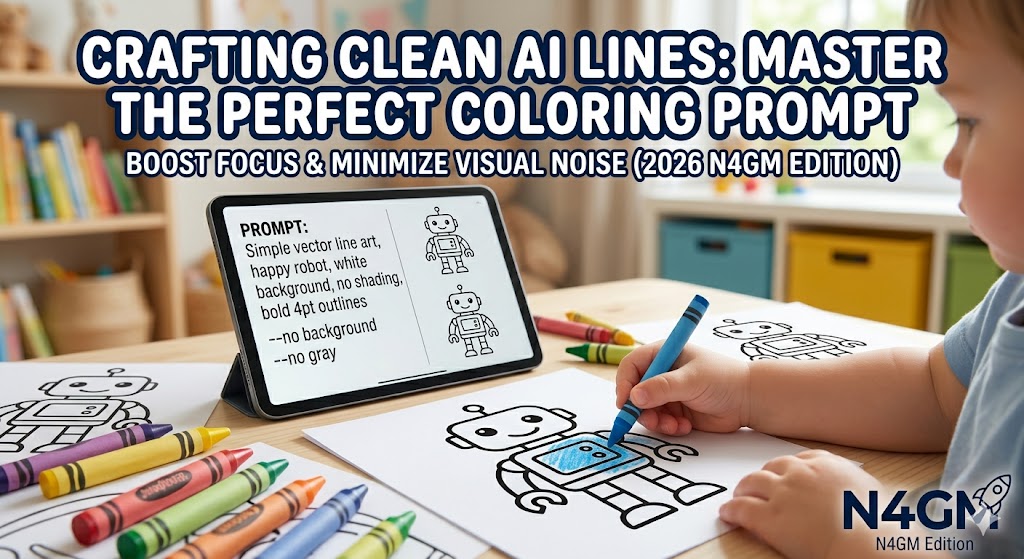
Vector line art, single large [SUBJECT], thick bold black outlines minimum 3pt,
nursery level complexity, pure white background, no shading, no gray fills, no
gradients, no texture, flat 2D, generous white space, isolated subject, –ar
8.5:11 –style raw –no shading –no gray –no color –no background
Why it works:
This is the baseline prompt for children aged 3 to 5. ‘Single large subject’ forces
the AI to choose one focal element rather than adding background details.
‘Nursery level complexity’ is a learned parameter in most current models that
constrains detail density. ‘–style raw’ in Midjourney removes its default
aesthetic processing, which tends to add artistic shading. Replace [SUBJECT]
with any animal, object, or character.
Coloring book illustration, [SUBJECT] in a simple outdoor scene, bold black outlines
3-4pt weight, primary school age complexity, 3 to 4 elements maximum, white
background, flat line art, no shading, no crosshatching, no gray tones, clean
crisp lines, print-ready, –ar 8.5:11 –style raw
Why it works:
For ages 5 to 7. ‘3 to 4 elements maximum’ is the key constraint here — it tells
the AI to include a small number of supporting elements without cluttering the
composition. ‘Primary school age complexity’ is specifically calibrated to
produce slightly more detail than nursery level while maintaining colorability.
Works particularly well with animal-in-habitat scenes.
Clean black and white coloring page for children, [CHARACTER DESCRIPTION], thick bold
outlines, no internal shading or gradients, white fill inside all shapes,
strong contrast, friendly cartoon style, minimal background, suitable for
printing at 300 DPI, flat illustration, –ar 8.5:11
Why it works:
‘White fill inside all shapes’ is an instruction that significantly reduces AI shading
artifacts. When you tell the AI that the inside of shapes should be white, it
de-prioritises the depth shading that general image models add automatically.
‘Strong contrast’ reinforces the black-on-white requirement. ‘Suitable for
printing at 300 DPI’ primes the model for sharper edge rendering.
Black outline drawing only, NO shading, NO gray, NO color fills, NO texture, NO
gradients, NO crosshatching, NO background detail, ONLY clean black lines on
white paper, [SUBJECT] in simple outline style, thick strokes, flat 2D,
coloring page ready
Why it works:
This prompt leads with what you do NOT want before describing what you do want. This
ordering matters in current AI models — leading with negative constraints sets
the generation parameters before the subject description, which means the AI
evaluates the subject description through the lens of those constraints rather
than defaulting to its artistic instincts. Use this when other prompts are
still producing shading artifacts.
Coloring page for nursery age children, [SUBJECT], double stroke outline — thick outer
border 4pt minimum with inner guide line 1.5pt, white space between outlines,
pure white background, no fills, no shading, no gray, no gradients, bold clear
boundaries, flat vector style, –ar 8.5:11 –style raw
Why it works:
This produces the double-outline technique described in our Specialist’s Guide — a
thick outer border that gives young children a clear stopping point for their
crayons, with an inner guide line that scaffolds toward more precise coloring
as fine motor skills develop. Not all AI tools execute this perfectly, but
Leonardo.ai’s Canvas Editor allows manual adjustment of the output if the
initial generation is imprecise.
Section 3: Tool-Specific Prompts — Optimised for Each Platform
Does the Tool Change the Prompt? Yes — Significantly
Each major AI image tool has its own training data, default aesthetic tendencies, and parameter systems. A prompt that produces clean results in Midjourney may need substantial modification for DALL-E 3 — and vice versa.
After testing prompts across all four major platforms in 2026, here is what I found: Midjourney v7 gives the best style consistency across a full book but needs aggressive negative prompting to eliminate shading. DALL-E 3 gives the cleanest single-page outputs but struggles with character consistency across multiple pages. Leonardo.ai is the most controllable for corrections but slowest for bulk generation. Adobe Firefly produces the most print-ready outputs by default but has the most restrictive content policies for certain subjects.
Midjourney v7 — The 3 Prompts That Work Best
Midjourney’s default aesthetic tends toward rich, detailed, artistically processed images. Getting clean coloring pages requires actively fighting that tendency through parameter selection and negative prompting.
coloring book page for children, [SUBJECT], clean line art, thick bold black outlines,
no shading, white background, flat 2D cartoon style, simple and friendly, print
ready –ar 8.5:11 –style raw –stylize 50 –no shading –no gray –no
gradients –no texture
Why it works:
‘–stylize 50’ reduces Midjourney’s artistic processing to a minimum — the default is 100,
which adds significant aesthetic shading. ‘–style raw’ removes Midjourney v7’s
new default aesthetic entirely. Combined, these two parameters produce the
flattest, cleanest output Midjourney can generate. Once you have your first
clean character, add ‘–sref [image URL]’ to all subsequent prompts for
consistent character style across a full book.
children’s coloring page, educational theme of [TOPIC], clear bold black outlines, 4 to 6
labelled elements, white background, flat clean line art, no shading, no color,
no gray fills, teacher-friendly design, printable quality, –ar 8.5:11 –style
raw –stylize 30
Why it works:
For educational coloring pages where labelled elements are part of the learning —
body parts, animals, seasons, letters. ‘–stylize 30’ pushes even further
toward flat output. ‘4 to 6 labelled elements’ tells the AI to distribute the
page evenly rather than clustering everything centrally. Works well for KDP
educational content and classroom activity sheets.
Prompt 8: Midjourney Mandala — Adult Coloring Clean
[Midjourney v7]
adult coloring book page, intricate mandala with [THEME] motifs, complex geometric
patterns, clean thin crisp black lines, white background, no gray fills, no
shading, high contrast line art, symmetrical design, print ready, –ar 1:1
–style raw –stylize 75
Why it works:
For adult mandala-style coloring books where complexity is desirable. Note
‘–stylize 75’ rather than 30 — adult coloring books benefit from Midjourney’s
pattern generation capability, just not its shading tendency. ‘–ar 1:1’ is
standard for mandala pages. The key instruction is ‘clean thin crisp black
lines’ rather than ‘thick bold lines’ — adult coloring enthusiasts prefer finer
detail.
DALL-E 3 — The 3 Prompts for Single Clean Pages
DALL-E 3 is the most accessible tool for single-page coloring content because it is available directly through ChatGPT. Its outputs tend to be cleaner by default than Midjourney for simple subjects, but it has less fine-grained parameter control.
Create a coloring book page for children aged [AGE]. Show [SUBJECT] using only clean
black outlines on a white background. Do not add any shading, gray fills,
gradients, or color. Make the outlines bold and thick, suitable for young
children to color in with crayons. Keep the design simple with generous white
space. The image should be suitable for printing on A4 paper.
Why it works:
DALL-E 3 responds better to natural language instructions than parameter codes. ‘Do
not add any shading, gray fills, gradients, or color’ — this full sentence is
more effective in DALL-E 3 than ‘–no shading’ style flags, which it ignores.
Including the age explicitly (‘aged [AGE]’) calibrates complexity more reliably
in DALL-E 3 than abstract level terms like ‘nursery level’.
Draw a simple coloring page showing [SCENARIO]. Use thick black lines only, no
shading, no color, no gray. White background. The scene should have no more
than three elements and plenty of empty white space for coloring. Bold
outlines, child-friendly, suitable for a 5-year-old to color in.
Why it works:
For narrative coloring books where the page depicts a scene rather than a single
character. ‘No more than three elements’ is the critical constraint — DALL-E 3
tends to fill scenes with background detail unless explicitly limited. ‘Plenty
of empty white space for coloring’ is a phrase DALL-E 3 responds to reliably
and which significantly reduces visual noise in the output.
Create a coloring page for a children’s activity book showing the letter [LETTER] or
number [NUMBER] in a large bold outline, surrounded by 2 to 3 simple objects
that start with that letter. Black outlines only, white background, no shading,
bold strokes, appropriate for ages 3 to 6, clean and printable.
Why it works:
Alphabet and number coloring pages are the highest-volume category in KDP publishing.
This prompt produces reliable results for the full alphabet series. ‘2 to 3
simple objects’ keeps the page uncluttered while providing the letter-object
association that is the educational purpose. Request each letter in a separate
generation for best results — batch generation of alphabets produces
inconsistent styling.
Leonardo.ai — The 3 Prompts for Maximum Control
Leonardo.ai gives you more post-generation control than any other tool through its Canvas Editor. These prompts are designed to get a strong initial output that you can then refine using the inpainting function.
[SUBJECT], coloring book style, thick black outlines, white background, no shading, flat
2D illustration, suitable for children, clean print-ready line art [+ activate
Coloring Book Element in Elements tab]
Why it works:
Leonardo.ai has a dedicated ‘Coloring Book’ Element — a LoRA model specifically trained for
coloring page generation. When this Element is active, the prompt can be
shorter because the model already handles many of the technical parameters. The
key is still specifying ‘thick black outlines’ and ‘no shading’ because the
Element does not eliminate these by default for all subjects.
Cute [ANIMAL/CHARACTER] facing forward, coloring book page, clean bold black
outlines, correct anatomy — [NUMBER] fingers per hand, two eyes symmetrical,
four legs if animal, white background, no shading, no fills, flat illustration,
children’s coloring book style, print quality
Why it works:
Anatomical hallucinations — extra fingers, asymmetrical eyes, wrong limb counts — are
Leonardo.ai’s most common failure mode. This prompt pre-empts them by
explicitly stating the correct anatomy in the prompt itself. ‘Facing forward’
reduces hallucination risk compared to three-quarter or side views. If the
initial output still contains errors, use Canvas Editor’s inpainting to select
and regenerate just the problem area.
Page [NUMBER] of a children’s coloring book series about [THEME], featuring
[CHARACTER NAME] who is [CHARACTER DESCRIPTION], in the same style as page 1,
bold black outlines, white background, no shading, flat 2D, scene shows
[ACTION/SETTING], consistent character design throughout
Why it works:
For multi-page coloring books where character consistency is critical. Mentioning ‘same
style as page 1’ and using the exact same character description across all
pages significantly improves consistency compared to just copying the prompt.
For best results, also use Image-to-Image mode with your first successful
page as the reference image — Leonardo.ai’s consistency using image reference
is currently better than Midjourney’s –sref for complex characters.
Section 4: Theme-Specific Prompts — Kids, Animals, Festivals, and EdTech
Does the Subject Change What You Need in a Prompt?
Yes — and this is something most generic prompt lists completely miss. An animal coloring page for a 4-year-old has completely different prompt requirements from a festival coloring page for an 8-year-old or a science-themed page for a 10-year-old.
The core five components stay constant. But the subject-specific modifiers change significantly. Here are six theme-specific prompts covering the most common coloring book categories.
Children’s coloring page, single large friendly [SAFARI ANIMAL] facing forward, cute
cartoon style, very thick bold black outlines minimum 4pt, enormous white space
inside the animal, no spots or stripes pattern filled in, no shading, white
background, nursery level, –ar 8.5:11 –style raw –no shading –no fill
Why it works:
Animals like tigers, leopards, and giraffes have natural patterns that AI models tend
to fill in — stripes, spots, scales. ‘No spots or stripes pattern filled in’
explicitly tells the AI to leave these as empty outline areas for the child to
fill. This single addition prevents one of the most common failures in animal
coloring page generation. ‘Facing forward’ dramatically reduces the chance of
anatomically incorrect limb arrangements.
Coloring page for children, [FESTIVAL] celebration scene, 3 to 4 key festival elements,
bold black outlines, white background, no shading, no color, festive but simple
design, appropriate for primary school children, clean line art, print ready
Why it works:
Festival pages — Diwali, Christmas, Eid, Holi, Easter — need to capture the visual
identity of the festival without becoming visually crowded. ‘3 to 4 key
festival elements’ is the critical constraint. For Diwali, this might be a diya
lamp, a sparkler, and a rangoli pattern. For Eid, a crescent moon, a lantern,
and a star. Specifying the exact elements rather than just the festival name
produces more culturally accurate and educationally useful outputs.
Children’s educational coloring page, friendly cartoon robot or AI character called
[NAME], [DESCRIPTION OF CHARACTER], surrounded by simple coding symbols —
brackets, arrows, simple flowchart — bold black outlines, white background, no
shading, educational and engaging, suitable for ages 7 to 10, flat 2D vector
style, –ar 8.5:11 –style raw
Why it works:
For EdTech coloring books connected to coding and AI education — the N4GM
specialty. Coding symbols like brackets, arrows, and simple flowcharts are
immediately recognisable to children who have used coding apps. The character
name creates a consistent identity across a book series. This prompt works
particularly well when combined with the Little AI Masters curriculum, where
the coloring activity connects to the lesson content for that session.
Children’s coloring page showing a child character expressing [EMOTION — happy, sad,
surprised, proud], body language clearly showing the emotion, simple
environment suggesting [CONTEXT], bold black outlines, white background, no
shading, warm friendly cartoon style, no text in the image, ages 5 to 8, print
ready
Why it works:
Social-emotional learning (SEL) coloring books are one of the fastest-growing educational
coloring categories. This prompt produces pages that can be used to discuss
emotions with children — how does the character feel? When have you felt that
way? ‘Body language clearly showing the emotion’ is essential because AI models
default to neutral facial expressions unless explicitly directed otherwise. ‘No
text in the image’ prevents the AI from adding labels that may be educationally
counterproductive.
Children’s coloring page, space exploration scene featuring [ELEMENT — rocket, astronaut,
planet, alien, satellite], bold thick black outlines, high contrast black on
white, no shading, no star field fills, clean empty black space background with
outline stars only, flat 2D cartoon style, educational but playful, ages 6 to
10, –ar 8.5:11 –style raw –no shading –no fill
Why it works:
‘No star field fills’ is the critical addition for space-themed pages. AI models
reliably fill space backgrounds with tiny dots and gradient gradients when
generating space scenes — both of which create visual noise and reduce the
colorable white space dramatically. ‘Outline stars only’ gives the AI an
alternative — stars as simple circle outlines rather than filled dots. Combined
with ‘no shading,’ this keeps the space background as clean white with simple
outline stars.
Vector line art coloring page, [SUBJECT], [AGE GROUP] level complexity, thick bold
black outlines 3pt minimum, pure white background, flat 2D illustration, no
shading, no gray fills, no gradients, no cross-hatching, no texture, no
background detail, no color, generous white space, double outline where
possible, isolated subject, print quality 300 DPI equivalent, high contrast,
–ar 8.5:11 –style raw –no shading –no gray –no gradients –no texture –no
background
Why it works:
This is the most comprehensive version of the N4GM coloring book prompt. Use this
when you need maximum reliability — when a client brief has zero tolerance for
post-processing cleanup, or when you are generating pages for a printed
commercial product. It is longer than necessary for most uses, but every word
earns its place. For quick daily generation, Prompts 1 through 5 are
sufficient. For commercial-grade output, start here.
Section 5: Fixing Bad Outputs — Prompt Surgery
Why Is My AI Coloring Page Still Showing Gray Shading?
If you are using the prompts above and still getting shading artifacts, the problem is almost always one of four things: your tool is ignoring negative prompts, your tool’s default model is overriding your parameters, the subject you chose inherently triggers shading behavior, or your prompt order is wrong.
Here is a diagnostic framework and targeted fixes for each failure mode.
| Problem |
Fix |
| Gray shading visible in output |
Add ‘ONLY black lines on pure white paper’ as first phrase in prompt |
| Lines too thin for children |
Add ‘minimum 4pt stroke weight’ and ‘thick enough for crayon coloring’ |
| AI adding background details |
Add ‘isolated subject on blank white background, nothing else in the image’ |
| Character has wrong anatomy |
Describe anatomy explicitly: ‘4 legs, 2 eyes, 5 fingers each hand’ |
| Inconsistent style across pages |
Use –sref [first page URL] in Midjourney, or Image-to-Image in Leonardo.ai |
| Lines blur when printed |
Generate at maximum resolution and upscale with Upscayl before printing |
| Too many elements in scene |
Add ‘maximum 3 objects in entire image, no more’ |
| Shading on animal patterns |
Add ‘leave all patterns as empty outlines — stripes and spots are white inside’ |
| AI adding text or labels |
Add ‘no text, no labels, no words in the image’ |
| Output too complex for toddlers |
Add ‘appropriate for a 2-year-old, single large shape, very simple’ |
The Iteration Method — When One Prompt Is Not Enough
Professional coloring book creators rarely use a single prompt and accept the first output. The reliable method is a two-stage iteration process.
Stage one: run the prompt four times and select the best output — the one with the cleanest lines and least shading. Stage two: use that selected image as a visual reference in your next generation, adding ‘in the style of [image URL]’ or using Image-to-Image mode. This narrows the AI’s generation space to outputs that share the visual characteristics of your best result.
For Midjourney specifically, use the V4 variation option on your best output rather than regenerating from scratch. V4 preserves the composition and character while varying smaller details — giving you four clean alternatives without starting over.
Sachin Sharma is a Tech AI Writer and Chief Editor at N4GM.com, simplifying how AI is transforming education and smart learning since 2019. With deep SEO expertise, he delivers reliable insights on AI learning tools and EdTech trends, helping students and educators navigate the future of technology.