Google AI Quests Review 2026: Is It the Best Free AI Tool for Kids?
In today’s digital era, AI (Artificial Intelligence) is no longer just a technology; it has become a fundamental “Life Skill.” But the real question is: Are our children truly understanding AI, or are they simply using ChatGPT to copy their homework?
To bridge this critical gap, Google Research, in collaboration with the Stanford Accelerator for Learning, has developed Google AI Quests. Part of the global Experience AI ecosystem, this program has become the 2026 benchmark for middle schoolers.
As a tech researcher and a parent, I personally tested this platform to see if it lives up to the hype. Here is why it’s a must-have for your child’s education.
1. What is Google AI Quests? (An Expert Overview)
Google AI Quests is a free, interactive, and gamified learning experience. It is specifically designed for students aged 11–14 (Middle School).
- The Core Problem: Most kids use AI tools daily but treat them as a “Black Box”—they have no idea what happens behind the scenes. They don’t understand how data drives AI or how human biases can corrupt a model.
- The Solution: Google AI Quests teaches these concepts in a “Code-free” environment. The focus here is shifted from syntax and coding to logic, data literacy, and ethical decision-making.
The 2026 Skill Gap Poll
Which skill will be most valuable for students in the next 5 years?
Little AI Masters™ bridges this gap by merging both worlds.
Learn more about our mission2. How It Works: My Hands-on Experience
While exploring the platform, I was most impressed by its focus on the AI Project Lifecycle. This isn’t a boring textbook; it’s a web-based adventure:
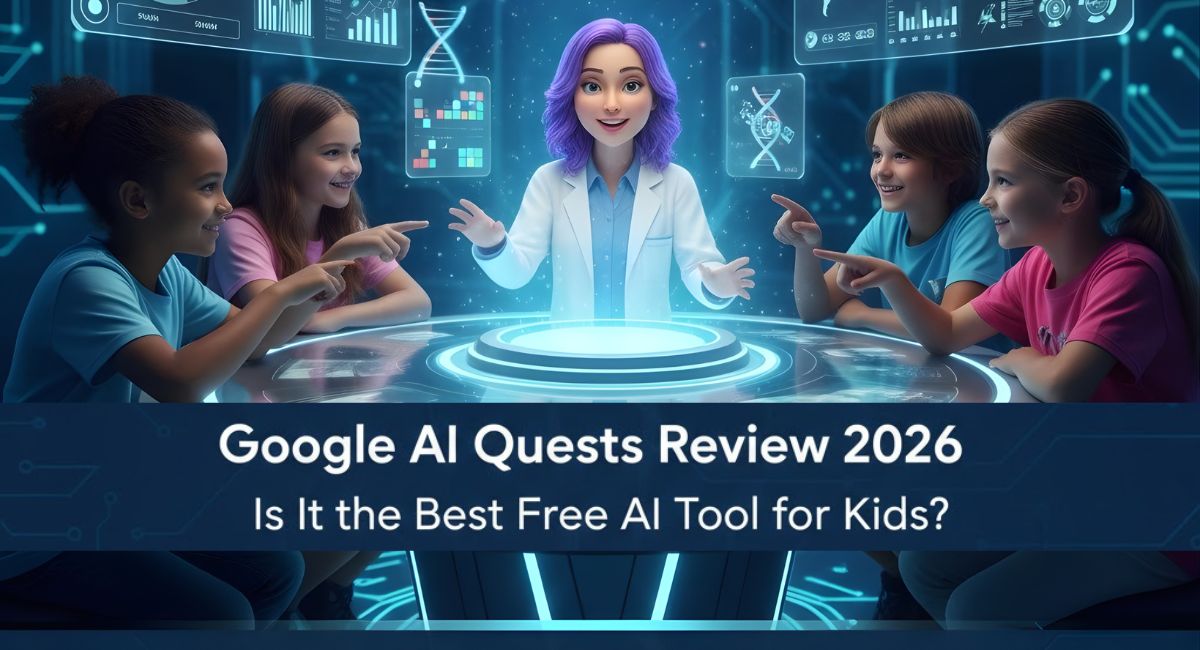
- Professor Skye (The Mentor): Throughout the game, Professor Skye guides students, presenting real-world scenarios and providing instant feedback at every critical junction.
- Data Cleaning: I observed that students learn to “clean” messy data. They quickly realize that if the input data is flawed, the AI’s output will be incorrect—a concept known in the tech world as “Garbage In, Garbage Out.”
- No-Code Interface: No prior programming knowledge is required. The entire experience is designed to sharpen Critical Thinking rather than memorizing code.
See how AI Quests brings complex data science to life through an interactive interface.
3. A Deep Dive into the Quests
In 2026, Google added several exciting quests based on real-world Google Research:
A. Market Marshes (Climate Focus)
In this quest, students learn from Google’s real-world “Flood Forecasting” research. They use rainfall and river flow data to build an AI model that helps protect communities from impending floods.
B. Dusky Dunes (Health Focus)
A brilliant combination of healthcare and AI! Here, students learn how AI can detect Diabetic Retinopathy (an eye disease). The quest also educates children on privacy and the importance of ethical data collection.
C. Polar Peaks (Science Focus)
Based on neuroscience and brain mapping, this quest helps students understand how AI analyzes complex human brain data to accelerate scientific discoveries.
4. Why Google AI Quests is Unique (E-E-A-T Analysis)
As an expert in the field, I believe these three pillars make the platform stand out:
- Human-Centered AI: It teaches kids that AI isn’t “magic.” It is a tool created by humans that requires human accountability.
- Bias & Ethics Literacy: Students see firsthand that if data lacks diversity (e.g., data from only one demographic), the AI becomes biased.
- Stanford Partnership: The content is part of Stanford’s CRAFT database and the Raspberry Pi Experience AI program, giving it 10x more credibility than random learning apps.
5. Pros and Cons: An Unbiased Perspective
I have evaluated both the strengths and the limitations of this tool to give you a complete picture:
Pros (The Wins):
- 100% Free: There are no hidden costs, locked levels, or subscription fees.
- Expert Backing: The curriculum is built on high-level research from Google and the Stanford Accelerator for Learning.
- Teacher-Ready: It includes detailed 15+ page PDF lesson plans, which can reduce a teacher’s preparation time by nearly 80%.
Cons (The Limitations):
- Language Barrier: Currently, the platform is primarily available in English, which might be a hurdle for non-English-speaking regions.
- Internet Dependency: There is no offline mode; a stable and fast internet connection is mandatory to run the simulations.
- Device Constraints: While it works on browsers, the interface can feel “cramped” on smaller mobile screens. It is best experienced on a Laptop, Desktop, or Tablet.
6. N4GM Comparison: ScratchJr vs. Google AI Quests
At N4GM, we always recommend age-appropriate tools. This comparison table will help you decide which tool is right for your child:
| Feature | ScratchJr | Google AI Quests |
| Best For Ages | 5–7 Years | 10–14 Years |
| Primary Skill | Coding Logic & Sequencing | AI Literacy & Data Ethics |
| Learning Curve | Very Easy (Visual Blocks) | Moderate (Logic Driven) |
| Platform | Tablet/iPad App | Web Browser (Desktop/Laptop) |
Pro Tip: If your child is between 5 and 7 years old, start with ScratchJr to build their logical foundation. Once they turn 10+, transition them to Google AI Quests.
7. Resources for Teachers & Parents
Google has made this “Plug-and-Play” for educators:
- Lesson Plans: Every quest comes with free PDF guides and slide decks.
- Time Efficiency: Quests are designed to fit into a standard 45 to 60-minute classroom session.
Final Verdict: A 2026 Must-Try Tool
Is it worth it? 100% Yes. Google AI Quests is free, high-quality, and backed by the world’s leading researchers. In 2026, AI literacy is as vital as Math or Science. This tool empowers children to be “Masters” of technology, rather than just passive users.
Quick Reality Check (FAQs)
Q1. Is this good for kids under 9?
Ans: No. Google AI Quests is specifically designed for children aged 11–14 years. The concepts and terminology may be too complex for children under 9. For younger kids, we recommend starting with ScratchJr.
Q2. Is this good for kids who hate reading?
Ans: Not at all. This game features extensive dialogue with Professor Skye and detailed data instructions that must be read on-screen. If your child avoids long texts, they might find the experience tedious or difficult to navigate.
Q3. Is this good for mobile-only homes?
Ans: No. Although it runs in a web browser, the interface is optimized for screens larger than 1240 x 600 px. On a small mobile screen, buttons and data points appear “cramped,” which ruins the learning experience and the fun. It is best played on a Laptop, Desktop, or Tablet.
Q4. Does it support the Hindi language?
Ans: While Google Search’s new “AI Mode” has introduced Hindi support in 2026, Google AI Quests is currently available only in English. Students from Hindi-medium backgrounds may face some challenges due to the language barrier.

Sachin Sharma is a Tech AI Writer and Chief Editor at N4GM.com, simplifying how AI is transforming education and smart learning since 2019. With deep SEO expertise, he delivers reliable insights on AI learning tools and EdTech trends, helping students and educators navigate the future of technology.