Before a child writes a single line of code, they need to understand one thing: computers follow instructions in a specific order. Change the order, and everything breaks.
This concept — called sequencing — is the absolute foundation of coding logic. And the good news for parents is that you do not need a computer to teach it. You need a riddle.
Think about how a riddle works. Your child hears a set of clues. They process each clue in order. They build a picture step by step until the answer emerges. That is sequencing. The same mental process that helps a child solve ‘I have hands but cannot clap — what am I?’ is the same process that helps them build their first working program in ScratchJr.
In this guide, we have created 20 easy riddles that map directly onto the four core sequencing skills in early coding: understanding step order, conditional thinking, loop logic, and error-checking. Each riddle tells you exactly which coding skill it is building — so your child is not just having fun. They are genuinely preparing for their first coding lesson.
How Riddle-Solving and Sequencing Are the Same Skill
Most parents think of riddles as games and coding as serious learning. In reality, the mental process behind both is almost identical.
When a child hears a riddle, their brain does four things automatically. First, it receives the input — the clues. Then it processes each clue in a specific order. Then it rules out wrong answers using logic. Then it reaches a conclusion and outputs the answer. Input, process, eliminate, output. This is the exact four-step loop that every computer program runs.
Here is how each riddle-solving skill maps to a real coding concept:
🧩
Mental Process
How Riddles Map to Coding
Riddle-Solving Step
Coding Concept
What Happens?
1. Receiving Clues
Input Data
The system gathers information to be processed.
2. Processing Order
Algorithms
Following a specific set of rules to solve a problem.
3. Ruling Out Errors
Debugging / Logic
Eliminating wrong paths to find the correct solution.
4. Outputting Answer
Execution / Output
The final result is displayed based on the logic.
The Core Loop: Input → Process → Eliminate → Output. Every computer program runs on this exact four-step cycle.
This is why we have organised the 20 riddles into four sections — one for each of these core coding skills. By the end of this guide, your child will have practised all four foundations of coding logic without touching a single screen.
Which Section Is Right for Your Child?
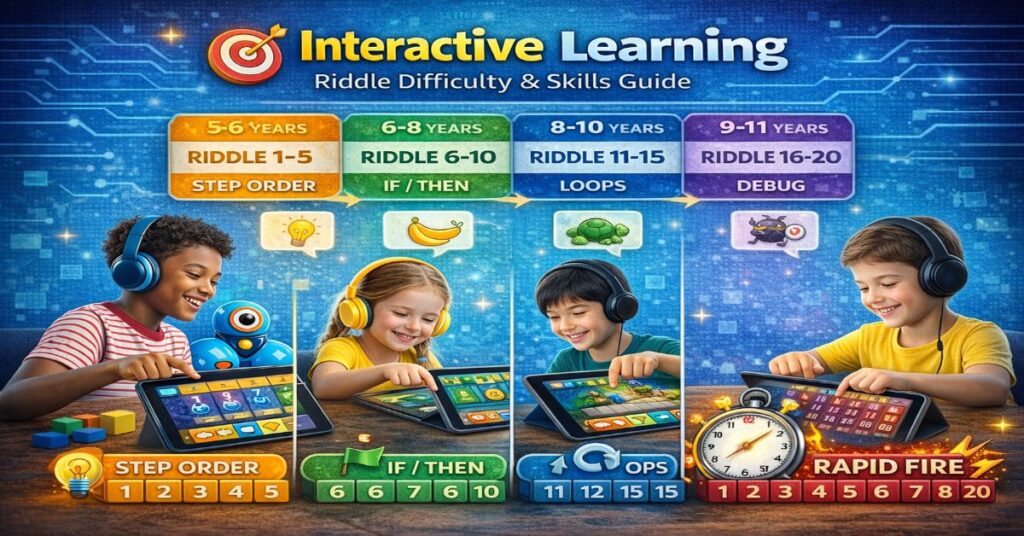
All 20 riddles are designed to be accessible. But they do increase in complexity. Use this guide to find the best starting point:
🎯
Interactive Learning
Riddle Difficulty & Skills Guide
Target Age
Section
Riddles Included
Core Skill Focus
5 – 6 yrs
Section 1
Riddles 1–5
Understanding Step Order
6 – 8 yrs
Section 2
Riddles 6–10
Conditional Thinking (IF/THEN)
8 – 10 yrs
Section 3
Riddles 11–15
Loop and Repeat Logic
9 – 11 yrs
Section 4
Riddles 16–20
Debugging & Error-Checking
All Ages
Rapid Fire
All 20
Speed Sequencing Challenge
Pro Tip: Don’t skip levels! Even older kids benefit from mastering the foundational step-order logic in Section 1.
Our recommendation: start with Section 1 regardless of your child’s age. Some of the most powerful ‘aha’ moments happen when a confident child realises a simple riddle is trickier than it looks.
Section 1: Step Order — ‘What Comes First?’ (Riddles 1–5)
These five riddles all test one thing: does your child understand that the order of steps matters? In coding, this concept is called sequencing. If you move a block to the wrong position in ScratchJr, the whole program breaks. These riddles build the same awareness.
🔢
1-5 Sequencing Riddles (Full Original Lessons)
Show Questions ▾
Riddle 1: I wake up every morning and do three things in order: I wash my face, I brush my teeth, then I eat breakfast. One day I eat breakfast first. What might go wrong?
Options: A) Nothing — breakfast is fine anytime | B) I might be hungry while brushing | C) Toothpaste taste could spoil breakfast enjoyment | D) The order does not matter at all
Answer: C) Toothpaste taste could spoil breakfast enjoyment
Sequencing Lesson: This is the simplest sequencing riddle. In ScratchJr, if a child places the ‘jump’ block before the ‘move forward’ block, the character jumps on the spot instead of jumping forward. Order determines outcome — always.
Riddle 2: A robot has these three instructions: Step 1 — Pick up the ball. Step 2 — Walk forward. Step 3 — Drop the ball. You change it so Step 3 comes before Step 2. What happens?
Options: A) The robot drops the ball in the wrong place | B) The robot works the same way | C) The robot walks forward without the ball — it already dropped it | D) The robot does not move at all
Answer: C) The robot walks forward without the ball — it already dropped it
Sequencing Lesson: This riddle is a direct mirror of how block-based coding works in Tynker and codeSpark. Every block is an instruction. Swap two blocks and the program produces a completely different — and usually wrong — result.
Riddle 3: What always has a beginning, a middle, and an end — and breaks completely if you try to start from the middle?
Options: A) A sandwich | B) A book | C) A computer program | D) A song
Answer: C) A computer program
Sequencing Lesson: Every program has three phases: initialisation (setting up), execution (running), and termination (finishing). Starting from the middle — skipping the setup — causes errors. This is why ‘Run’ buttons in coding apps always restart from the beginning.
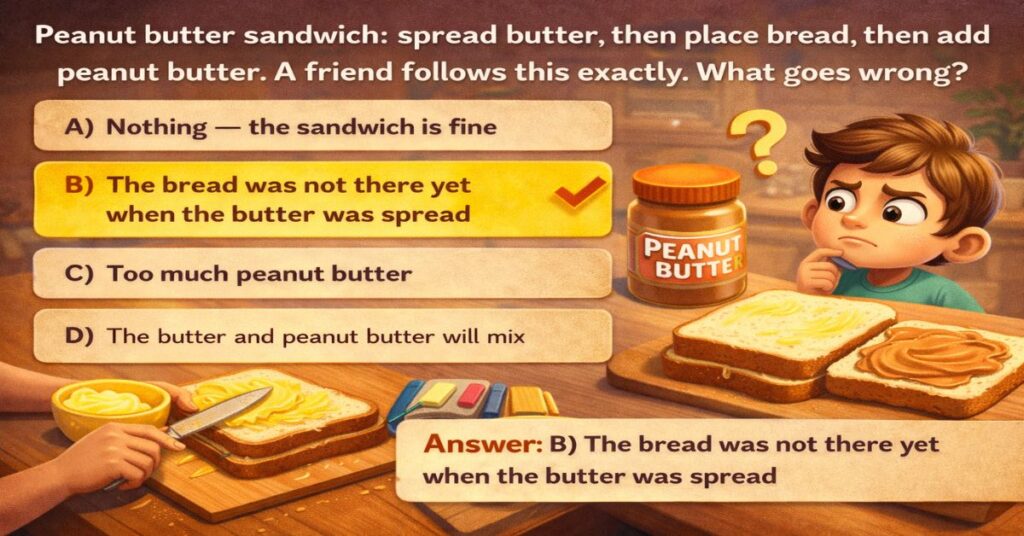
Riddle 4: You are making a peanut butter sandwich. Your instructions say: spread butter, then place the bread, then add peanut butter. A friend follows these instructions exactly. What goes wrong?
Options: A) Nothing — the sandwich is fine | B) The bread was not there yet when the butter was spread | C) Too much peanut butter | D) The butter and peanut butter will mix
Answer: B) The bread was not there yet when the butter was spread
Sequencing Lesson: Missing a prerequisite step is one of the most common coding errors beginners make. In Scratch, if you write ‘change costume’ before ‘when green flag clicked’, nothing visible happens because the trigger step is missing. Prerequisites must always come first.
Riddle 5: I am a list of instructions. If you follow me from top to bottom, you get a perfect result. If you read me from bottom to top, you get complete chaos. What am I?
Options: A) A shopping list | B) A recipe | C) A set of code | D) A timetable
Answer: C) A set of code
Sequencing Lesson: Code executes top to bottom, line by line. This is one of the first concepts children encounter in any coding app. This riddle makes that abstract rule feel intuitive and memorable before a child ever opens a coding platform.
Riddle 1 of 5Sequencing Expert
Parent-Child Activity 🥪
🍳
The Sequencing Exercise
The Sandwich Test
A beloved activity in computer science education is called the Sandwich Test: a parent asks their child to write instructions for making a sandwich, then follows those instructions EXACTLY as written.
The “Bug” in the Code: If the child writes ‘put butter on the bread’ without first specifying which side, the parent spreads butter on the outside or the crust!
The Result
This always produces laughter — and a lasting lesson about precision in sequencing and why computers only do exactly what they are told.
Conditional logic is the second building block of coding. In Tynker and Scratch, children write rules like: ‘IF the character touches the wall, THEN turn around.’ These five riddles train the same IF/THEN thinking — without a screen.
💡
6-10 Logic Riddles (Full Original Lessons)
Show Questions ▾
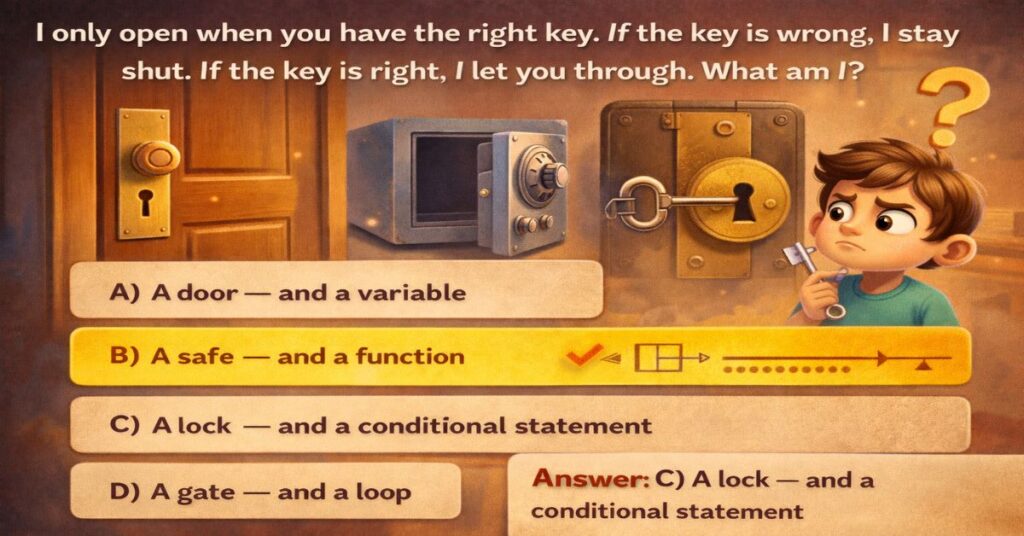
Riddle 6: I only open when you have the right key. If the key is wrong, I stay shut. If the key is right, I let you through. What am I — and what coding concept am I?
Options: A) A door — and a variable | B) A safe — and a function | C) A lock — and a conditional statement | D) A gate — and a loop
Answer: C) A lock — and a conditional statement
Sequencing Lesson: This riddle is a perfect physical metaphor for IF/THEN logic. In Tynker: ‘IF key pressed = correct, THEN open door.’ Children who understand locks immediately understand conditionals. This is one of the most transferable intuitions in early coding education.
Riddle 7: A traffic light works like this: IF the light is red, THEN stop. IF the light is green, THEN go. IF the light is yellow, THEN prepare to stop. What is a traffic light, in coding terms?
Options: A) A loop | B) A variable | C) A series of conditional statements | D) A sequence
Answer: C) A series of conditional statements
Sequencing Lesson: Traffic lights are one of the most commonly used teaching examples in computer science classrooms. Each light colour is a condition that triggers a different response. Children who understand traffic lights already understand multi-branch conditionals — one of the more complex early coding concepts.
Riddle 8: You are playing a game. The rule is: IF you collect 10 coins, THEN you get a bonus life. You collect 9 coins. Do you get the bonus life?
Options: A) Yes — 9 is close enough | B) No — the condition is exactly 10 | C) Maybe — it depends on the game | D) Yes — the game will round up
Answer: B) No — computers follow conditions exactly, not approximately
Sequencing Lesson: Computers are literal. They do not round up, assume intent, or apply common sense. If the condition says 10, it means exactly 10. This lesson — that precision matters — is one of the hardest things for beginners to internalise. This riddle makes it stick.
Riddle 9: I am always watching. When something happens, I react. If nothing happens, I wait silently. I am the part of a program that listens for a click, a key press, or a touch. What am I?
Options: A) A variable | B) A loop | C) An event listener | D) A function
Answer: C) An event listener
Sequencing Lesson: In ScratchJr and codeSpark, the green flag button is an event listener — it waits for a specific action (pressing the flag) and then triggers a sequence of code. Teaching children that programs wait and respond — rather than just running straight through — is a major conceptual step.
Riddle 10: A smart thermostat says: IF the temperature drops below 18 degrees, THEN turn on the heater. IF the temperature rises above 22 degrees, THEN turn off the heater. What kind of program is this?
Options: A) A loop program | B) A sequencing program | C) A conditional control program | D) A random program
Answer: C) A conditional control program
Sequencing Lesson: Smart home devices — thermostats, security cameras, automatic lights — all run on conditional logic. This riddle connects coding to the real world in a way that makes the abstract concept suddenly feel very practical and relevant to everyday life.
Section 3: Loop Logic — ‘Do It Again!’ (Riddles 11–15)
Loops are one of the most powerful — and most satisfying — concepts in coding. Instead of writing the same instruction twenty times, you write it once and tell the computer to repeat it. These riddles build the intuition that repetition can be elegant, efficient, and intentional.
🔄
11-15 Loops Riddles (Full Original Lessons)
Show Questions ▾
Riddle 11: A washing machine runs its wash cycle 3 times. Instead of writing ‘wash, rinse, spin’ three times, a programmer writes it once and adds a number. What did the programmer add?
Options: A) A variable | B) A conditional | C) A loop counter | D) A function
Answer: C) A loop counter
Sequencing Lesson: Loop counters are the most direct introduction to repetition in code. In Tynker, the ‘Repeat X times’ block does exactly this. Children who understand that repetition can be represented by a number — rather than written out manually — have grasped one of the most efficiency-improving ideas in programming.
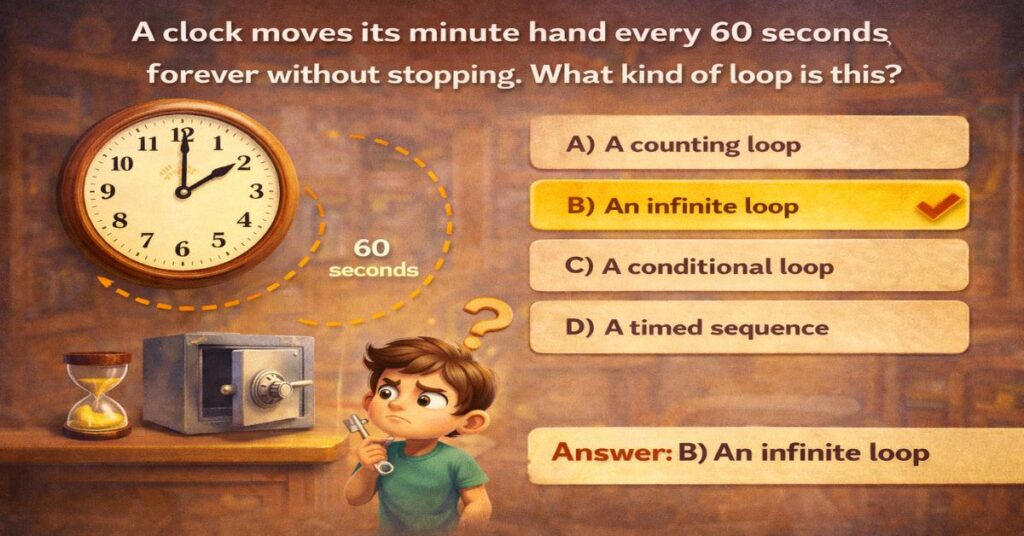
Riddle 12: I am a clock. Every 60 seconds, I move my minute hand forward by one. I do this again and again, forever, without stopping. What kind of loop am I running?
Options: A) A counting loop | B) An infinite loop | C) A conditional loop | D) A timed sequence
Answer: B) An infinite loop
Sequencing Lesson: Infinite loops run forever until something external stops them — like unplugging a clock or closing a program. In coding, an infinite loop that you do not intend is a bug. But an intentional infinite loop — like a game that keeps running until you press quit — is good design. This riddle introduces both concepts simultaneously.
Riddle 13: You teach a parrot to say ‘Hello!’ The parrot repeats it every time you say ‘Speak!’ You say ‘Speak!’ five times. How many times does the parrot say ‘Hello!’?
Options: A) Once | B) Five times | C) Until you stop | D) It depends on the parrot
Answer: B) Five times — one response per trigger
Sequencing Lesson: Event-triggered loops respond once per event. This is different from infinite loops (which run continuously) and counting loops (which run a set number of times regardless of triggers). This distinction is subtle but important — and the parrot analogy makes it immediately intuitive for young children.
Riddle 14: In a game, an enemy character walks left, reaches a wall, turns around, walks right, reaches a wall, turns around — and keeps going forever. What code pattern does this represent?
Options: A) A sequence | B) A conditional | C) A loop with a boundary condition | D) A random walk
Answer: C) A loop with a boundary condition
Sequencing Lesson: Boundary conditions inside loops are a core concept in game design and real-world programming. The enemy moves until it hits a wall — then a conditional triggers a direction change — then the loop continues. This single riddle teaches the combination of loops and conditionals, which is the foundation of almost all game logic.
Riddle 15: A baker makes 24 identical cookies. Instead of shaping each one by hand, she uses a cookie cutter. In coding, what does the cookie cutter represent?
Options: A) A variable | B) A function or loop | C) A conditional | D) A data type
Answer: B) A function or loop — reusable code that produces identical results each time
Sequencing Lesson: Functions and loops both embody the programming principle of DRY: Do not Repeat Yourself. A cookie cutter is a perfect physical metaphor for reusable code. This is one of the most important efficiency concepts in professional programming — and it is completely accessible to a seven-year-old through this metaphor.
Riddle 11 of 15Loops Master
Section 4: Debugging — ‘Find the Mistake!’ (Riddles 16–20)
Debugging is what coders do when something goes wrong — and something always goes wrong. The ability to look at a broken sequence, identify the error, and fix it is one of the most valuable skills in all of STEM. These five riddles train that exact skill in a completely screen-free way.
🔍
16-20 Debugging Riddles (Full Original Lessons)
Show Questions ▾
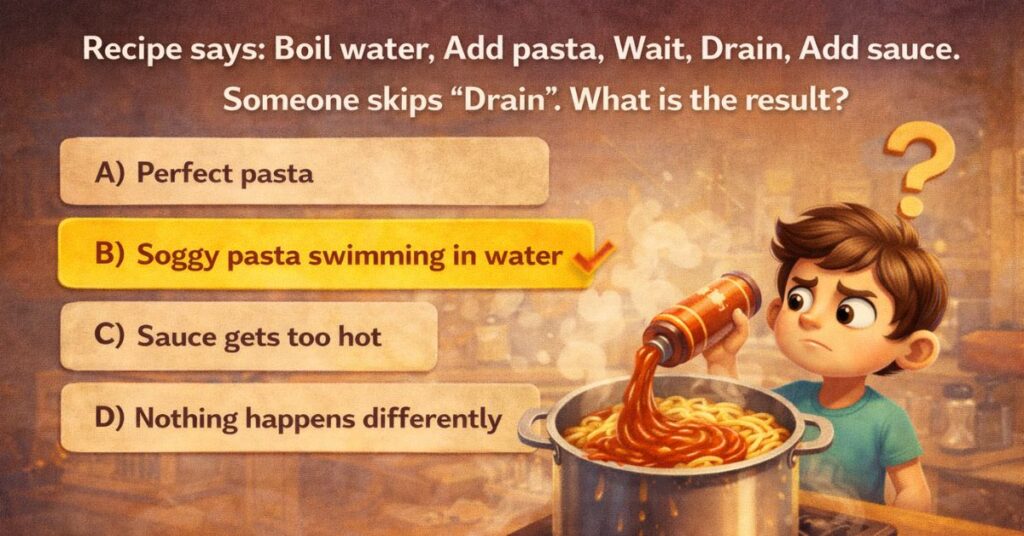
Riddle 16: A recipe says: 1) Boil water. 2) Add pasta. 3) Wait 10 minutes. 4) Drain the pasta. 5) Add sauce. Someone follows these steps but skips Step 4. What is the result?
Options: A) Perfect pasta with sauce | B) Soggy pasta swimming in water with sauce added | C) The sauce gets too hot | D) Nothing happens differently
Answer: B) Soggy pasta swimming in water — skipping drain means sauce goes into the boiling water
Sequencing Lesson: Skipping a step in a sequence is one of the most common beginner coding errors. In programming, this is called a logic error — the code runs without crashing, but the output is wrong. Teaching children to spot missing steps in everyday processes builds the same instinct they need to debug programs.
Riddle 17: A robot is programmed to deliver a package. Its steps are: 1) Pick up package. 2) Walk to door. 3) Open door. 4) Walk to destination. But the door will not open. What is the most likely bug?
Options: A) The package is too heavy | B) The destination is wrong | C) The robot does not have the door key or code | D) The robot is walking too slowly
Answer: C) A missing prerequisite — the robot has no way to open the door
Sequencing Lesson: Missing prerequisites are the second most common coding error. A program cannot open a file it has not loaded. It cannot display an image it has not downloaded. It cannot move a character that has not been initialised. This riddle makes prerequisite checking feel natural and logical.
Riddle 18: A child writes these instructions: ‘Walk forward 5 steps. Turn right. Walk forward 3 steps. You are at the shop.’ The friend ends up at the wrong place. What is the most likely error?
Options: A) The friend walked the wrong speed | B) The number of steps or direction is wrong | C) The friend turned left instead of right | D) The shop moved
Answer: B) The measurements or direction are wrong — a common sequencing precision error
Sequencing Lesson: Precision errors in sequencing — wrong numbers, wrong directions, wrong units — are extremely common. This riddle introduces children to the idea that correct logic with wrong measurements still produces a wrong result. In coding, this is called an off-by-one error.
Riddle 19: A code is supposed to count from 1 to 5 and stop. Instead, it counts: 1, 2, 3, 4, 5, 6, 7, 8… and never stops. What went wrong?
Options: A) The computer is broken | B) The loop is missing its stop condition | C) The numbers are in the wrong order | D) The count started at the wrong number
Answer: B) The loop is missing its stop condition — causing an infinite loop
Sequencing Lesson: Every loop needs three things: a start, a step, and a stop. Remove the stop and the program runs forever. This is the bug that causes apps to freeze and computers to become unresponsive. Children who understand this conceptually will recognise it immediately.
Riddle 20: Message delivery order: open envelope, read message, reply, seal envelope, send. The error: they seal the envelope before writing the reply. What type of error is this?
Options: A) A random error | B) A sequencing order error — two steps were swapped | C) A missing step error | D) A loop error
Answer: B) A sequencing order error — seal and reply were swapped
Sequencing Lesson: Swapped steps are arguably the most common sequencing error. In programs, this often manifests as declaring a variable after it is used. Training children to spot swapped steps builds a debugging instinct that transfers directly to programming.
Riddle 16 of 20Debugging Hero
🔧
Coding Philosophy
The Debugging Mindset
50%
Professional programmers spend roughly half of their time debugging — not writing new code, but fixing broken code.
Teaching children that debugging is not a sign of failure, but a normal and essential part of the process, is one of the most valuable mindset shifts in early coding education.
“Every wrong riddle answer is a debugging opportunity.”
From Riddles to Real Apps — The Natural Next Step
These 20 riddles are not just puzzles. They are a preparation curriculum. Each section maps directly onto the foundational concepts taught in the most popular coding apps for children.
Here is how to use that connection:
After Section 1 — Introduce ScratchJr
Children who can solve the Step Order riddles are ready for ScratchJr. The app uses picture-based blocks that run in sequence, left to right. Your child already understands intuitively that order matters — they just need to see it represented visually in the app.
After Section 2 — Try codeSpark Academy
Once conditional thinking clicks, codeSpark’s game-based IF/THEN puzzles feel immediately accessible. Children who have solved the lock riddle, the traffic light riddle, and the coin riddle will recognise conditional logic in codeSpark’s challenges and engage with them much more confidently.
After Section 3 — Move to Tynker
Tynker’s loop blocks are one of the first concepts introduced after sequencing basics. Children who understand cookie cutters, infinite clocks, and parrot triggers will grab Tynker’s ‘Repeat’ and ‘Forever’ blocks naturally and use them with purpose rather than confusion.
After Section 4 — Debugging Is Everywhere
Debugging instinct transfers to every coding platform. A child who can spot a swapped step in a message delivery sequence will spot a swapped block in ScratchJr, a wrong number in Tynker, and a missing condition in their first Python program years later.
Once your child masters sequencing basics, Tynker is the natural next step. Read our full parent review including pricing, age guide, and honest pros and cons.
How to Use These Riddles at Home or in the Classroom
The biggest mistake parents make with educational riddles is turning them into tests. As soon as a child feels assessed, the playfulness disappears and so does the learning.
Here is a better approach: present each riddle as a puzzle you are solving together. Say ‘I wonder how this one works’ instead of ‘Can you figure this out?’ The collaborative framing keeps the curiosity alive.
For Parents at Home
One riddle per day at dinner — this is enough to build the habit without overwhelming
When a child gets it wrong, give one clue rather than the answer — let them debug it themselves
After solving, ask: ‘How did you figure that out?’ — this builds metacognition
Connect each answer back to a real-life example your child already knows
For Teachers in the Classroom
Use Section 1 riddles as a 5-minute warm-up before any coding lesson
Use Section 4 debugging riddles as a reflection exercise after a coding session
The sequencing comparison table (riddle step vs coding equivalent) works well on a classroom display
Riddles 3, 8, and 19 work particularly well as whole-class discussion starters
Conclusion: The Child Who Thinks in Steps
There is a particular kind of thinking that underlies all of coding — a quiet, methodical way of breaking any problem into its smallest possible steps, checking each one, and rebuilding toward a solution. Programmers call it computational thinking. Teachers call it systematic reasoning. Most children, before they ever hear either phrase, already do it naturally when they solve a really good riddle.
The 20 riddles in this guide are not preparation for coding in the distant future. They are coding — the cognitive foundations of it — happening right now, in your living room, at your kitchen table, on the way to school.
Start with Riddle 1. Take your time. See where the conversation goes. You might be surprised how close your child already is to thinking like a programmer.
🎓N4GM Learning Labs
Ready for the Next Level?
Our Little AI Masters program takes children from riddle-level logical thinking through to building real AI projects in just 28 days.
The riddles are organised by difficulty and mapped to age ranges. Section 1 (riddles 1–5) works well from age 5 upwards. Sections 3 and 4 are designed for ages 8–11. All sections can be adapted for younger children with parental guidance.
Do children need to know anything about coding before trying these?
No prior coding knowledge is needed. That is the point. These riddles build the foundational thinking skills that make coding easier to learn later. They are designed to be used before a child starts coding, not alongside it.
How do I know if my child is ready to move to a coding app?
If your child can consistently solve riddles from Section 2 (conditional thinking) without help, they are ready for ScratchJr or codeSpark. If they can solve Section 3 (loops), they are ready for Tynker’s beginner courses.
Can these riddles be used in a school setting?
Yes. The sequencing comparison table and the four-section structure map well onto standard computational thinking curricula. Sections 1 and 4 are particularly useful as classroom warm-up and reflection activities.
What is the difference between sequencing and an algorithm?
An algorithm is a complete set of instructions for solving a problem. Sequencing is the principle that those instructions must be in the right order. Think of sequencing as the skeleton that every algorithm is built on.
Sachin Sharma is a Tech AI Writer and Chief Editor at N4GM.com, simplifying how AI is transforming education and smart learning since 2019. With deep SEO expertise, he delivers reliable insights on AI learning tools and EdTech trends, helping students and educators navigate the future of technology.